





Best Mini PC for Home Office in 2026: Top Picks for Productivity and Remote Work
Looking for the best mini PC for a home office? The right model should handle daily productivity tasks, multiple monitors, video meetings, and multitasking without wasting space or power.
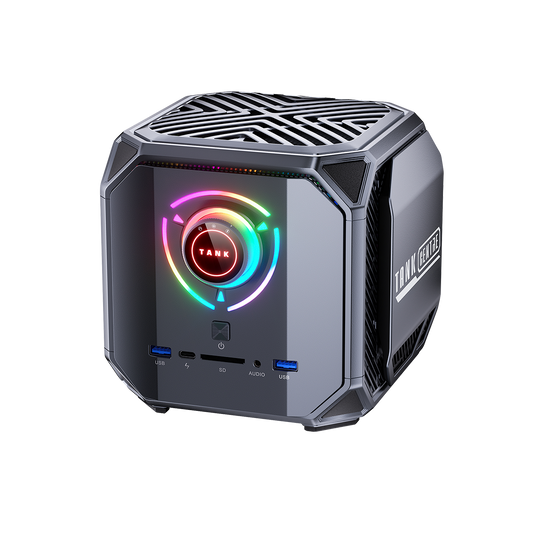
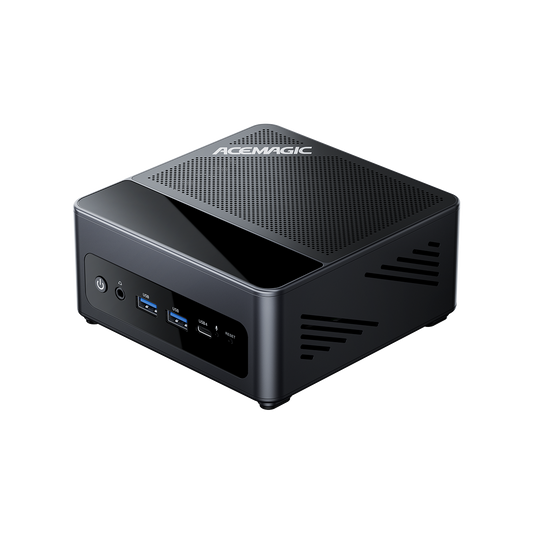
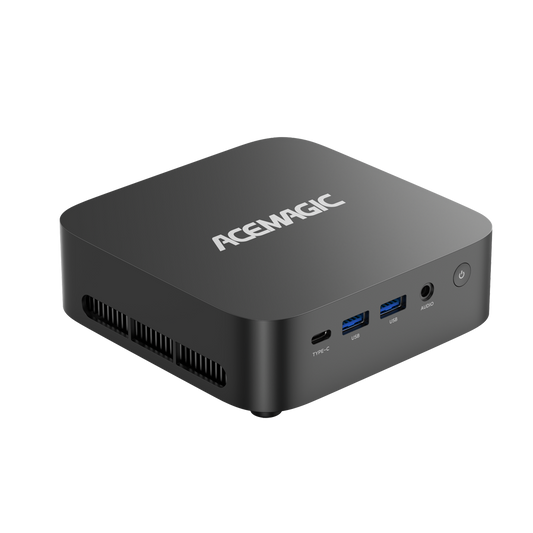
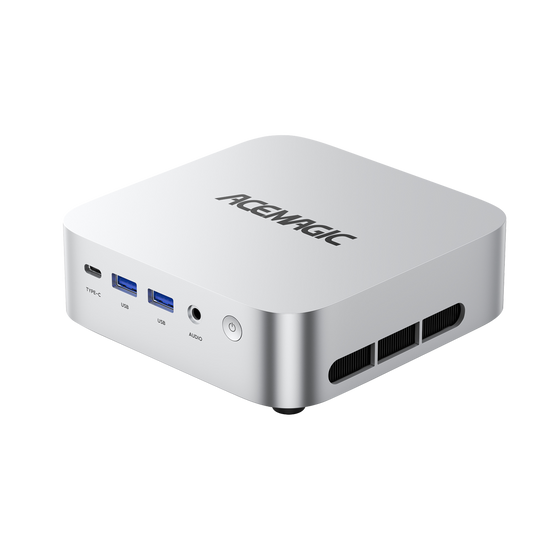
For most remote workers, the ACEMAGIC AM06 is the best overall choice because it delivers strong Ryzen performance, triple-display support, and upgradeable RAM and storage at a competitive price.

Best Mini PCs for Home Office in 2026: Quick Comparison
| Mini PC | Best For | Processor | RAM | Storage | Display Support |
| ACEMAGIC AM06 Pro | Best Overall | AMD Ryzen 7 7730U / 5700U | 16GB - 32GB (Up to 64GB) | 512GB - 1TB NVMe (Up to 2TB + 2.5" SATA) | Yes (Triple 4K Display) |
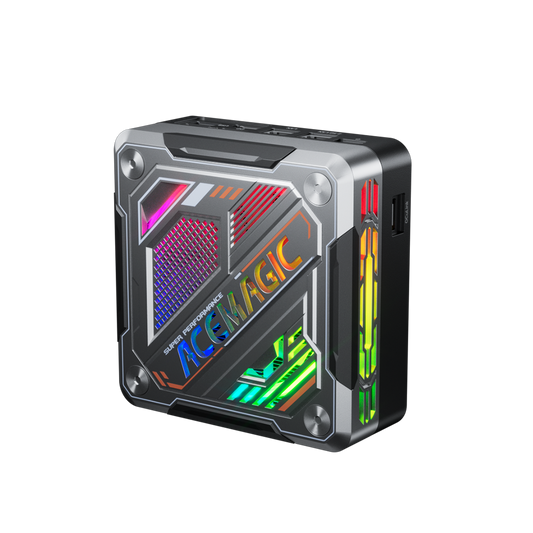
| ACEMAGIC K1 (7430U) | Best for Multitasking | AMD Ryzen 5 7430U | 16GB (Up to 64GB) | 512GB - 1TB (Up to 4TB Dual M.2) | Yes (Triple 4K Display) |
| ACEMAGIC K1 (4300U) | Best Budget Option | AMD Ryzen 3 4300U | 16GB (Up to 64GB) | 512GB - 1TB (Up to 4TB Dual M.2) | Yes (Triple 4K Display) |
| ASUS NUC 14 Pro | Best Business Mini PC | Intel Core Ultra 5 / 7 | Up to 96GB DDR5 | Up to 4TB NVMe | Yes (Quad 4K Display) |
| Apple Mac mini | Best Premium Mini PC | Apple M4 / M4 Pro | 16GB - 64GB Unified | 256GB - 8TB NVMe | Yes (Up to Triple Display) |
| Lenovo ThinkCentre Neo 50q | Best for Enterprise Users | Snapdragon X / Intel Core Ultra | 16GB - 64GB | 256GB - 2TB NVMe | Yes (Multiple Displays) |
What to Look for in a Home Office Mini PC
Before choosing a mini PC for remote work, focus on the hardware that affects daily productivity: processor performance, memory capacity, storage speed, display support, and connectivity.
Best Mini PC Specifications for Remote Work in 2026
| Component | Recommendation |
| CPU | Ryzen 5 / Core i5 minimum |
| RAM | 16GB minimum |
| Storage | 512GB NVMe |
| Display | Dual 4K support |
| Network | Wi-Fi 6 + Gigabit Ethernet |
Performance for Everyday Productivity
A modern mini PC easily supports standard remote work requirements, including:
- High-tab-count web browsing
- Microsoft Office & Google Workspace
- Email client management
- Video conferencing (Zoom, Teams, Meet)
- Project management software
Recommended Specifications: Set your baseline at an Intel Core i5 or AMD Ryzen 5 processor. Integrated graphics (Intel Arc, AMD Radeon, or Apple's GPU cores) easily drive multiple 4K displays and handle basic photo editing. You do not need a dedicated GPU for office work.
RAM and Storage Requirements
Memory and storage dictate system responsiveness during heavy multitasking.
-
How Much RAM Do You Need?
- 8GB: Avoid entirely unless on the strictest budget. It severely limits multitasking capability on Windows.
- 16GB (Recommended): The modern standard. Keeps Windows, multiple browsers, and background apps running smoothly without aggressive page filing.
- 32GB - 64GB+: Reserved for power users managing large databases, running local virtual machines, or executing local AI tools.
-
SSD Storage Recommendations:
- 256GB: The bare minimum. Viable only if your workflow relies heavily on enterprise cloud storage architectures.
- 512GB (Recommended): Provides ample local overhead for the OS, persistent software updates, and daily file caching.
- 1TB+: Necessary if you manage local media files, large creative assets, or software archives. Always prioritize NVMe SSDs over older SATA standards.
Connectivity and Ports
Check the I/O panel before buying. Your mini PC should feature:
- USB-A (for legacy peripherals)
- USB-C (for high-speed data, and potentially power delivery/display output)
- HDMI and/or DisplayPort
- Gigabit or 2.5GbE Ethernet (hardwired stability for critical video calls)
Wireless Connectivity: Ensure the unit supports Wi-Fi 6, 6E, or 7 to minimize network latency. Bluetooth 5.2 or higher is required for stable connections to wireless peripherals.
Multi-Monitor Support
A multi-monitor setup is one of the biggest advantages of using a mini PC for remote work.
The best mini PCs for home offices should support:
- Dual 4K monitors at minimum
- Triple display output for productivity users
- HDMI + DisplayPort + USB-C video output
60Hz refresh rate support
For most remote workers, a mini PC with triple display support allows:
- Email on one screen
- Video meetings on another
- Documents or spreadsheets on a third display
Quiet Operation and Energy Efficiency
Mini PCs utilize laptop-grade architecture and cooling solutions, meaning they generate very little fan noise during meetings. They also draw significantly less power than desktop towers—often peaking under 90W—which lowers electricity bills and reduces office heat output.
Mini PC vs Desktop vs Laptop for Home Office
| Device | Best For | Advantage |
| Mini PC | Fixed desk setup | Small, quiet, upgradeable |
| Laptop | Hybrid workers | Portable |
| Desktop | Heavy workloads | Maximum expansion |
Best Mini PCs for Home Office in 2026
Best Overall Mini PC for Working From Home

AM06 Pro Mini PC
- CPU: AMD Ryzen 7 7730U (8 Cores)
- RAM: 32GB DDR4
- Storage: 1TB NVMe SSD
- Video Output: Triple 4K@60Hz Support
- OS: Windows 11 Pro
Why We Recommend It: The AM06 Pro delivers reliable 8-core performance at an aggressive price point. It handles dense spreadsheets and heavy browser use easily while maintaining low fan noise thanks to an efficient pure copper cooling pipe system.
- Ideal Users: General remote workers and home office users needing a fast, dependable daily driver.
- Pros: High value-to-performance ratio, native triple 4K@60Hz display support (HDMI, DP, and Type-C), dual Ethernet ports for advanced networking, and highly accessible RAM/storage upgrades.
- Cons: Integrated Radeon graphics are optimized for productivity rather than modern AAA gaming.
Bottom Line: The most practical, cost-effective machine for standard business productivity.
Best Mini PC for Dual Monitor Office Setup
Key Specifications: AMD Ryzen 5 7430U | 16GB RAM (Up to 64GB) | 512GB SSD (Up to 4TB Dual M.2 Expansion) | Wi-Fi 6

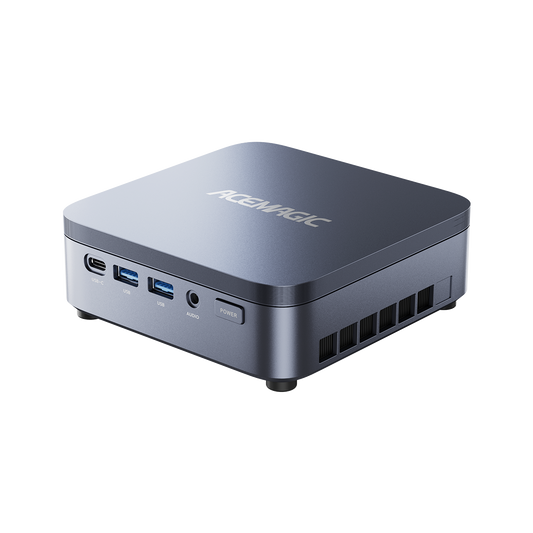
K1 Mini PC
- CPU: AMD Ryzen 7 7730U (8 Cores)
- RAM: 32GB DDR4
- Storage: 1TB NVMe SSD
- Video Output: Triple 4K@60Hz Support
- OS: Windows 11 Pro
Why We Recommend It: Built around AMD's efficient architecture featuring a 6-core, 12-thread Ryzen 5 processor, the K1 powers through background processes and active software simultaneously. It boasts native triple 4K display support and a dual-exhaust cooling system to sustain top clock speeds.
- Ideal Users: Users who keep numerous applications, communication tools, and heavy browser windows active constantly.
- Pros: Excellent multitasking capabilities, highly expandable dual M.2 storage slots (up to 4TB), and robust thermal management.
- Cons: A more function-over-form chassis design compared to premium corporate alternatives.
Bottom Line: A highly capable workhorse tailored for high-volume multitasking without breaking the bank.
Best Budget Mini PC for Home Office
Key Specifications: AMD Ryzen 3 4300U | 16GB RAM (Up to 64GB) | 512GB SSD | Triple 4K Display Support
Why We Recommend It: This configuration of the K1 provides essential computing power at a rock-bottom price. Unlike many entry-level PCs, it still delivers 16GB of RAM out of the box and robust multi-monitor capabilities via HDMI, DP, and Type-C.
- Ideal Users: Students, gig workers, and users needing a highly capable secondary machine.
- Pros: Exceptionally affordable, supports three 4K monitors, surprisingly snappy for basic administrative tasks.
- Cons: The older 4-core CPU design limits its long-term viability for complex, processor-heavy software.
Bottom Line: The smartest way to equip a highly functional multi-monitor home office on a strict budget.
Best Mini PC for Small Business
Key Specifications: Intel Core Ultra 5 / 7 | Up to 96GB DDR5 | Up to 4TB Dual NVMe SSD | Wi-Fi 7 | Thunderbolt 4
Why We Recommend It: ASUS acquired Intel's NUC division and built a premium, AI-ready system. It features Intel vPro for remote hardware management, TPM hardware security, quad-display support, and ultra-fast Thunderbolt 4 connectivity.
- Ideal Users: Corporate remote staff, IT professionals, and users handling sensitive client data.
- Pros: Excellent build quality, class-leading 96GB RAM capacity support, advanced Wi-Fi 7, and robust enterprise security features.
- Cons: Premium pricing; excessive hardware for basic data entry or standard home users.
Bottom Line: A secure, future-proof machine designed for strict corporate IT environments.
Best Mini PC for Remote Workers
Key Specifications: Apple M4 / M4 Pro | 16GB - 64GB Unified Memory | 256GB - 8TB SSD | Thunderbolt 4/5
Why We Recommend It: The redesigned 5x5-inch Mac mini offers industry-leading efficiency. The M4 chip (and heavier M4 Pro) executes demanding creative workloads while remaining virtually silent. The inclusion of 16GB as the baseline memory finally meets modern multitasking demands perfectly.
- Ideal Users: macOS users, software developers, and creative video/audio professionals.
- Pros: Incredible performance-per-watt footprint, silent operation, and up to Thunderbolt 5 speeds on Pro models.
- Cons: Internal storage and unified RAM are entirely soldered and cannot be upgraded after purchase.
Bottom Line: The absolute best hardware in this category, provided your workflow and budget support the Apple macOS ecosystem.
Which Mini PC Should You Choose?
| If You Need... | Recommended Mini PC |
| Best overall hardware value | ACEMAGIC AM06 Pro |
| Heavy multi-app processing | ACEMAGIC K1 (Ryzen 5) |
| The lowest entry cost | ACEMAGIC K1 (4300U) |
| Corporate-grade security | ASUS NUC 14 Pro |
| macOS integration | Apple Mac mini |
| Fleet IT management | Lenovo ThinkCentre Neo 50q |
Quick Buying Recommendations by User Type
- Remote Workers: Buy the ACEMAGIC AM06 Pro. It’s cost-effective, supports your triple-monitor setup out of the box, and powers through dense Office tasks seamlessly.
- Small Business Owners: The ASUS NUC 14 Pro provides the TPM hardware security required to protect proprietary client and financial data.
- Students: The ACEMAGIC K1 (Ryzen 3 4300U) fits tight dorm desks and tighter budgets while easily handling research, writing, and multi-display setups.
- Power Users: Opt for the ACEMAGIC K1 (Ryzen 5 7430U) or the Apple Mac mini (M4) to guarantee the processing bandwidth needed for heavy application switching and media handling.
Frequently Asked Questions
What is the best mini PC for working from home?
The ACEMAGIC AM06 is the best overall mini PC for working from home because it provides enough CPU performance for Microsoft Office, video conferencing, multitasking, and multiple monitors without the size or power consumption of a desktop.
Can a mini PC replace a desktop computer?
Yes. Unless your workflow requires internal PCIe expansion cards or a massive dedicated GPU for AAA gaming or heavy 3D rendering, a mini PC serves as a direct drop-in replacement.
How much RAM do I need for office work?
16GB is the baseline for modern systems. This capacity allows you to host a video call, edit a dense spreadsheet, and run a heavy web browser simultaneously without encountering system lag or memory swapping.
Is a mini PC better than a laptop for a home office?
For permanent desk setups, yes. Mini PCs typically offer better cooling, more built-in connectivity ports, and force you to use ergonomic standalone monitors and keyboards, which prevents poor posture over long hours.
Can mini PCs support two or more monitors?
Yes. Every model on our recommended list supports at least two external monitors natively via HDMI, DisplayPort, or USB-C, with most ACEMAGIC models supporting up to three 4K displays simultaneously.
What processor is best for a home office mini PC?
For a home office mini PC, the best overall processor class is an Intel Core i5 or AMD Ryzen 5 from a recent generation. That gives you the best mix of speed, quiet operation, and long-term value for email, office apps, video calls, multiple browser tabs, and light multitasking. Current mini-PC buying guides also point to Intel Core i5/Core Ultra and AMD Ryzen 5/7 as the sweet spot for office use.
Are mini PCs reliable for daily business use?
Yes. Mini PCs are built using highly efficient laptop-grade components designed to manage heat over long stretches. Brands like ASUS and Lenovo specifically engineer their commercial NUCs and ThinkCentres for strict 24/7 enterprise operation.
Is a mini PC better than a laptop for remote work
For most remote work, a laptop is better because it is portable and already includes the screen, keyboard, trackpad, battery, and webcam in one device.
A mini PC is better if you work from a fixed desk and want a more desktop-like setup with one or more monitors, plus easier upgrades and potentially lower upfront cost if you already own peripherals.
How long do mini PCs last?
Most mini PCs last about 3 to 7 years in normal use, and many can go longer with good cooling and light workloads.
Conclusion
Upgrading your home office no longer requires clearing floor space for a massive PC tower. For most remote professionals, the ACEMAGIC AM06 Pro delivers the best return on investment, offering the speed and port selection required for daily productivity. If your work involves strict IT security, specialized AI workloads, or heavy creative rendering, pivot to the ASUS NUC 14 Pro or the Apple Mac mini. When buying, always secure at least 16GB of RAM and verify your chosen unit features the exact video outputs required to drive your specific monitor layout.