



Are Mini PCs Good for Gaming? Performance, Benefits and Limitations
Yes, mini PCs can be good for gaming, provided that the graphics hardware matches the games you want to play.
A mini PC with modern integrated graphics can handle esports games, indie titles, emulation and many older PC games at 1080p with adjusted settings. More demanding AAA games, higher resolutions and ray tracing generally require a model with dedicated graphics or an external GPU.
Mini PCs offer a smaller footprint and lower power consumption than conventional gaming desktops, but they normally have less internal upgradeability and more limited cooling. They are therefore best suited to gamers who value compactness and understand the performance limits of the selected GPU.

Mini PC Gaming Capabilities at a Glance
| Mini PC graphics type | Suitable games | Typical target | Main limitation |
| Basic integrated graphics | Browser, 2D and retro games | 720p–1080p in light titles | Limited 3D performance |
| Modern integrated graphics | Esports, indie and older AAA games | 1080p with adjusted settings | Uses shared system memory |
| Dedicated graphics | Recent AAA games and creative workloads | Higher-quality 1080p or selected 1440p | Higher cost, heat and power use |
| External GPU through OCuLink | Depends on the connected graphics card | 1080p, 1440p or higher | Requires a dock, GPU and power supply |
These are general expectations rather than guaranteed performance levels. Results vary according to the individual game, graphics preset, memory configuration, cooling system, driver version and processor power limit.
What Is a Gaming Mini PC?
A gaming mini PC is a compact desktop computer equipped with enough CPU and GPU performance to run PC games.
Unlike a standard office mini PC, a gaming-focused model normally includes one or more of the following:
- A modern integrated GPU, such as AMD Radeon 780M
- Dedicated graphics with separate video memory
- Fast dual-channel DDR5 or LPDDR5 memory
- A more capable cooling system
- NVMe SSD storage
- High-bandwidth display connections
- OCuLink or compatible USB4 connectivity for an external GPU
Not every mini PC is suitable for gaming. A model with an efficient office processor and entry-level integrated graphics may run simple games but struggle with modern 3D titles.
The term “gaming mini PC” should therefore describe the system’s actual graphics capability rather than its appearance, RGB lighting or processor branding.
What Games Can a Mini PC Run?
The answer depends primarily on the GPU.
Esports Games
Modern integrated graphics can be suitable for games such as:
- Valorant
- League of Legends
- Dota 2
- Rocket League
- Counter-Strike 2
- Overwatch 2
These games are generally more accessible than recent graphically demanding releases. A strong integrated GPU can often provide a playable 1080p experience when the graphics settings are adjusted appropriately.
Competitive players targeting very high and stable frame rates may still benefit from dedicated graphics, particularly when using a high-refresh-rate monitor.
Indie and Casual Games
Mini PCs are particularly well suited to independent and casual games.
Examples include:
- Stardew Valley
- Hades
- Terraria
- Hollow Knight
- Among Us
- Minecraft
- Strategy and simulation games with moderate requirements
Many of these games do not require a powerful GPU. However, heavily modified games, high-resolution texture packs and complex simulation workloads can increase CPU, memory and graphics demands.
Older AAA Games
A mini PC with Radeon 780M-class graphics can run many older AAA games at 1080p when settings are reduced.
Depending on the game, this may involve lowering:
- Texture quality
- Shadow quality
- Anti-aliasing
- Reflections
- Render scale
- Crowd or environment detail
Upscaling technologies such as AMD FidelityFX Super Resolution may also improve performance in supported games.
“Older” does not always mean undemanding. Remastered versions and games that have received major graphical updates may have considerably higher requirements than their original releases.
Recent AAA Games
Recent AAA games are considerably more demanding.
Some may run on modern integrated graphics at low settings or a reduced render resolution, but the experience will vary substantially between titles. Games with complex open worlds, advanced lighting, high-resolution textures or ray tracing are better suited to dedicated graphics.
Choose a dedicated-GPU mini PC when you expect:
- Higher graphics presets
- More consistent performance in recent games
- 1440p gaming
- Ray tracing
- High-resolution textures
- Gaming while streaming or recording
Always compare the recommended system requirements of your most demanding game with the exact mini PC configuration. Minimum requirements indicate basic compatibility rather than a guaranteed smooth experience.
How Good Are Integrated Graphics for Gaming?
Integrated graphics have improved considerably, especially in AMD processors using recent Radeon architectures.
The Radeon 780M, for example, uses AMD’s RDNA 3 architecture and includes 12 Compute Units. It does not have its own dedicated VRAM, so it uses the computer’s system memory. AMD’s related Radeon 780M specifications also confirm support for dual-channel DDR5 or LPDDR5X memory.
Radeon 780M-class integrated graphics are most appropriate for:
- Esports games
- Indie titles
- Emulation
- Older AAA games
- Selected newer games with reduced settings
- General work and entertainment
Performance can differ between mini PCs using the same integrated GPU because of:
- Memory speed and channel configuration
- Processor power limits
- Cooling capacity
- Firmware settings
- Driver versions
- Amount of memory allocated to the GPU
This is why results from one Radeon 780M device should not automatically be applied to every other Radeon 780M mini PC.
Integrated graphics are a practical option when compactness, efficiency and cost matter more than maximum visual quality. They are not a complete replacement for dedicated graphics in demanding AAA gaming.
When Do You Need Dedicated Graphics?
Dedicated graphics have their own GPU resources and video memory. This generally provides higher performance and reduces dependence on system-memory bandwidth.
A dedicated GPU is the better choice for:
- Modern AAA games
- Higher graphics settings
- 1440p gaming
- Ray tracing
- High-refresh-rate gaming
- Gameplay streaming
- 3D rendering
- GPU-accelerated content creation
However, the GPU name alone does not determine performance. Compact systems may configure the same graphics processor at different power limits, resulting in different sustained performance.
When evaluating a dedicated-GPU mini PC, consider:
- Exact GPU model
- VRAM capacity
- GPU power limit
- Cooling design
- Supported upscaling technology
- Driver support
- Benchmarks for the same system configuration
The ACEMAGIC M1A Pro illustrates this type of system by combining an Intel Core i9-13900HK processor with dedicated Intel Arc A770 graphics, 32GB of DDR5 memory and a 1TB SSD.
Intel Arc A770 supports Intel XeSS and hardware ray tracing. NVIDIA-specific technologies such as DLSS and Reflex should not be attributed to an Intel Arc GPU.

Can You Add an External GPU to a Mini PC?
Selected mini PCs can connect to an external desktop graphics card through OCuLink or a compatible USB4 connection.
An external GPU can be useful when you want:
- A compact computer for everyday work
- Integrated graphics when travelling or performing light tasks
- More graphics performance at a fixed desk
- The option to replace the graphics card later
- A middle ground between a mini PC and a full desktop tower
OCuLink uses a PCIe-based connection and is particularly relevant to external graphics. However, the complete setup also requires:
- A compatible eGPU dock
- A desktop graphics card
- A suitable power supply
- Appropriate cables
- Enough desk space
- Confirmation of PCIe lane and dock compatibility
The ACEMAGIC F5A H255 is an example of this approach. It combines Radeon 780M integrated graphics with an OCuLink connection, 24GB of onboard LPDDR5-6400 memory and a 1TB NVMe SSD. Its memory is soldered and cannot be upgraded, although the product page lists three M.2 storage slots.
An eGPU can substantially expand gaming capability, but once the dock, graphics card and power supply are included, the total setup is no longer as compact or inexpensive as the mini PC alone.

What Are the Benefits of Gaming on a Mini PC?
Compact Size
A mini PC occupies considerably less desk space than a standard tower. It can work well in bedrooms, dormitories, small home offices and living-room entertainment setups.
Some models can also be mounted behind a monitor, although sufficient ventilation must be maintained.
Lower Power Consumption
Integrated-graphics mini PCs generally consume less power than gaming desktops with high-wattage dedicated graphics cards.
Actual consumption depends on the processor, GPU, power configuration and workload, but a compact integrated system can be an efficient choice for esports, cloud gaming and lighter PC games.
Easy to Move
A mini PC is easier to move between rooms or carry to another location than a desktop tower. You still need a monitor, keyboard, mouse and power source, so it is not a direct replacement for a laptop when gaming away from a desk.
Useful Beyond Gaming
Modern mini PCs can also handle:
- Office work
- Web browsing
- Media streaming
- Coding
- Photo editing
- Light video editing
- Home-theatre use
- Game streaming
- Emulation
This makes them attractive to users who want one compact computer for both work and entertainment.
Less Desk Clutter
A smaller chassis can create a cleaner gaming setup, particularly when paired with wireless peripherals or mounted behind a display.
What Are the Limitations of Gaming Mini PCs?
Limited Internal GPU Upgrades
In most mini PCs, the processor and internal GPU are permanently installed. Unlike a desktop tower, you normally cannot replace the graphics card later.
OCuLink or compatible USB4 eGPU support can provide an upgrade path, but it adds cost and complexity.
Restricted Cooling Capacity
A smaller case provides less room for large heat sinks and fans. Cooling quality therefore affects temperatures, fan noise and sustained performance.
A mini PC may reach a high boost frequency briefly but operate at lower speeds during an extended gaming session. Independent long-duration testing is more useful than short benchmark results when evaluating cooling.
Shared Memory for Integrated Graphics
Integrated graphics use system memory rather than dedicated VRAM. This means memory speed, capacity and channel configuration can directly influence gaming performance.
The operating system, applications and GPU must all share the same memory pool.
Fewer Expansion Options
Mini PCs normally provide fewer internal expansion options than desktop towers. Memory and storage may be upgradeable, but internal PCIe cards, larger cooling systems and replaceable graphics cards are usually unavailable.
Performance Per Pound Can Vary
A mini PC may cost more than a similarly performing tower because compact engineering, specialised cooling and smaller components add expense.
The value depends on whether saving space and reducing power consumption are important to you.
Mini PC vs Gaming Desktop
| Factor | Gaming mini PC | Gaming desktop |
| Size | Very compact | Much larger |
| GPU performance | Integrated to dedicated, depending on model | Wider range, including high-end GPUs |
| Internal upgrades | Usually limited | Extensive |
| Power consumption | Often lower | Usually higher |
| Cooling capacity | More restricted | Greater |
| Portability | Easier to move | Difficult to move |
| Maximum performance | Limited by chassis and power | Higher potential |
| Best for | Compact, efficient setups | Performance and long-term upgrades |
A mini PC can replace a gaming desktop for esports, indie games, emulation and selected 1080p gaming. A desktop remains the better option when maximum GPU performance, frequent upgrades or high-end 4K gaming are the priority.
Mini PC vs Gaming Laptop
A gaming mini PC and gaming laptop solve different problems.
Choose a mini PC if you:
- Already own a monitor and peripherals
- Mostly play at a desk
- Want a small but stationary system
- Prefer easier RAM or SSD access where available
- Do not need a built-in screen or battery
Choose a gaming laptop if you:
- Need to play in multiple locations
- Want a built-in display and keyboard
- Need battery-powered operation
- Frequently travel with the complete system
A mini PC may provide a cleaner permanent desk setup, while a laptop offers genuine all-in-one portability.
Who Should Buy a Gaming Mini PC?
A gaming mini PC is a good choice for:
- Esports and indie gamers
- Users with limited desk space
- Students living in small rooms
- Living-room or home-theatre gaming
- Retro-game and emulation enthusiasts
- Users who need one computer for work and light gaming
- Buyers interested in an OCuLink eGPU setup
- Gamers who prioritise efficiency over maximum performance
It may not be the right choice for:
- Enthusiasts who frequently replace internal components
- Users targeting uncompromised 4K gaming
- Buyers who require a high-end desktop graphics card
- Users who expect every modern game to run at maximum settings
- Anyone who needs laptop-style battery-powered portability

ACEMAGIC Mini PC Gaming Examples
Different models illustrate the main ways a mini PC can approach gaming.
| Model | Graphics approach | Suitable use | Important consideration |
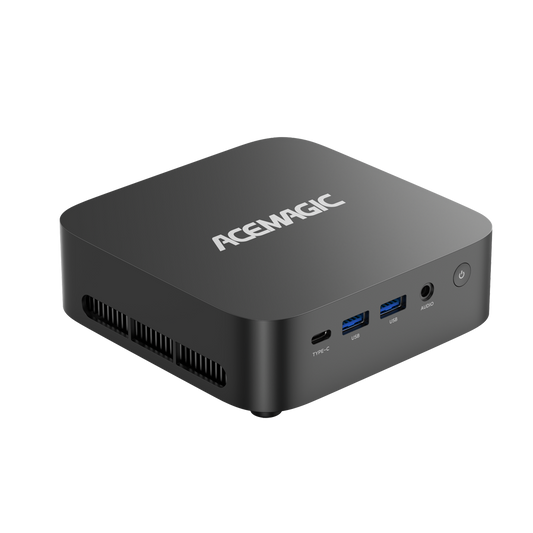
| ACEMAGIC W1 H255 | Radeon 780M integrated graphics | Esports, indie and lighter 1080p gaming | Product page contains conflicting LPDDR5 and DDR5 memory descriptions |
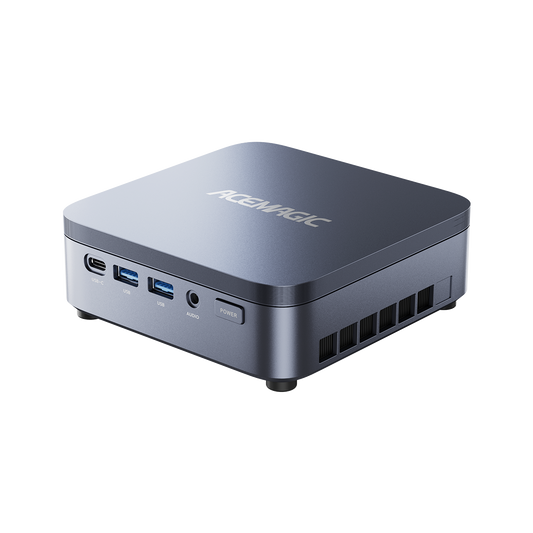
| ACEMAGIC F5A H255 | Radeon 780M plus OCuLink | Integrated gaming with future eGPU expansion | Onboard RAM cannot be upgraded |
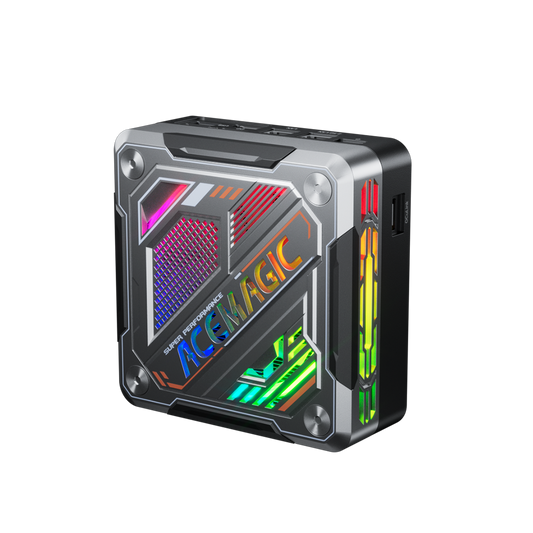
| ACEMAGIC M1A Pro | Dedicated Intel Arc A770 | More demanding gaming and creative workloads | Currently sold out on the Canadian store |
The W1 and F5A use Radeon 780M integrated graphics, but their memory, cooling and expansion designs differ. The F5A adds OCuLink for external graphics, while the M1A Pro represents a larger dedicated-GPU design.
These examples should not be treated as identical performance tiers simply because they are all described as mini PCs.
Final Verdict: Is a Mini PC Worth It for Gaming?
A mini PC is worth considering if you primarily play esports, indie games, older AAA titles or selected games at 1080p and value a compact, efficient computer.
Modern integrated graphics such as Radeon 780M can provide a practical gaming experience when expectations and settings are realistic. Dedicated-GPU models are more appropriate for newer AAA games, higher visual settings and 1440p gaming. An OCuLink-compatible mini PC offers another option for users who may add an external desktop GPU later.
A mini PC is less suitable if you want maximum performance, frequent internal upgrades or uncompromised high-resolution gaming.
The key is to choose according to the GPU rather than the processor name or the size of the chassis. A compact computer can be a capable gaming system, but not every mini PC is a gaming PC.
Frequently Asked Questions
Are mini PCs powerful enough for gaming?
Yes. Mini PCs with modern integrated graphics can handle esports, indie games and selected 1080p titles. Models with dedicated graphics are better suited to recent AAA games, higher settings and 1440p gaming.
Can a mini PC run AAA games?
A mini PC can run AAA games if its GPU meets the game’s requirements. Integrated graphics may require low settings or upscaling, while dedicated graphics provide a more suitable experience for demanding releases.
Can a mini PC run games at 1080p?
Yes. Radeon 780M-class integrated graphics can support 1080p gaming in esports, indie and selected AAA titles with adjusted settings. Performance varies considerably between games and system configurations.
Is a mini PC better than a gaming desktop?
A mini PC is better for compactness, efficiency and ease of movement. A desktop is better for maximum performance, cooling and internal upgrades. The right choice depends on whether space or expandability matters more.
Do gaming mini PCs overheat?
A well-designed mini PC should manage its intended power level, but restricted airflow, dust or inadequate cooling can raise temperatures and reduce sustained performance. Independent extended-load tests are useful before buying.
Can you upgrade a gaming mini PC?
Many mini PCs allow SSD upgrades, and some have replaceable RAM. The CPU and internal GPU are normally fixed. Selected models support external graphics through OCuLink or compatible USB4 connections.
How much RAM does a gaming mini PC need?
Sixteen gigabytes is a practical minimum for esports and lighter gaming. Thirty-two gigabytes provides more headroom for recent AAA games, integrated graphics, streaming and background applications.
Can a mini PC support 4K gaming?
Supporting a 4K monitor does not mean the mini PC can render games at native 4K. Demanding 4K gaming generally requires a powerful dedicated GPU and may still use upscaling.