



What to Look for in a Mini PC Under $400 in Canada
You do not necessarily need an expensive laptop or a full-size desktop tower to work from home, attend online classes or manage everyday family computing.
For less than $400 CAD, a well-equipped mini PC can provide enough performance for web browsing, Microsoft Office, video meetings, media streaming and multi-monitor productivity—all while taking up very little desk space.
However, inexpensive mini PCs are not all equally useful. Some arrive with too little memory, limited storage or an inadequate selection of ports. Others look attractive on paper but leave little room for future upgrades.
This guide explains what buyers should expect from a mini PC under $400, which specifications matter most and how to decide whether this type of compact computer is right for you.
Quick Answer: What Should a Mini PC Under $400 Include?
A good mini PC in this price range should ideally provide:
- At least four processor cores
- 16GB of RAM
- A 512GB solid-state drive
- Windows 11 included
- HDMI or DisplayPort video output
- Several full-size USB ports
- Wi-Fi, Bluetooth and wired Ethernet
- Upgradeable memory or storage
- Canadian shipping and a clear return policy
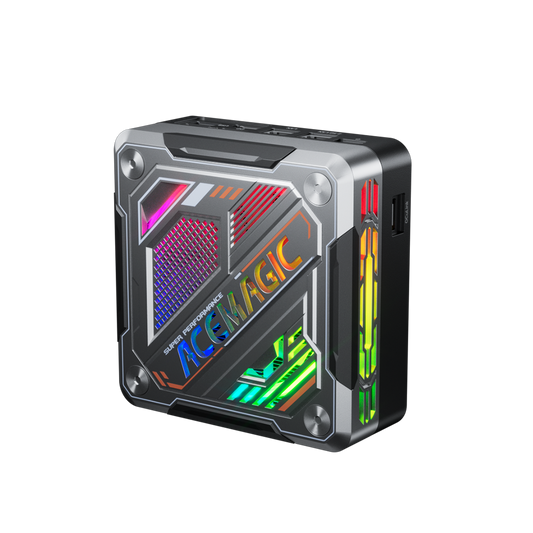
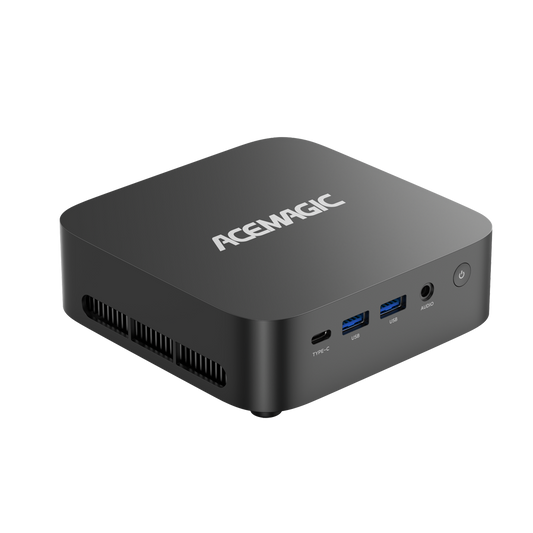
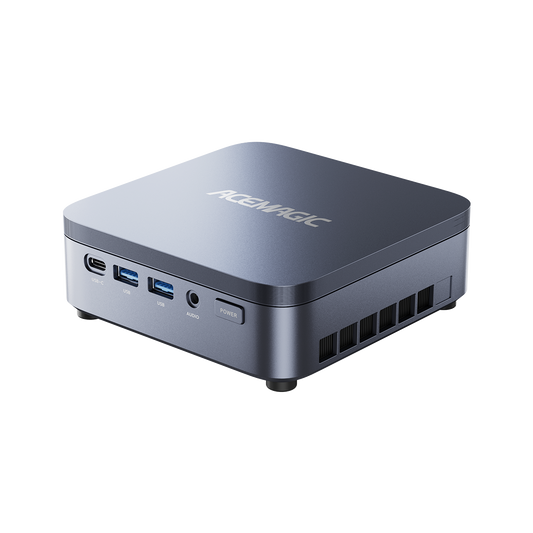
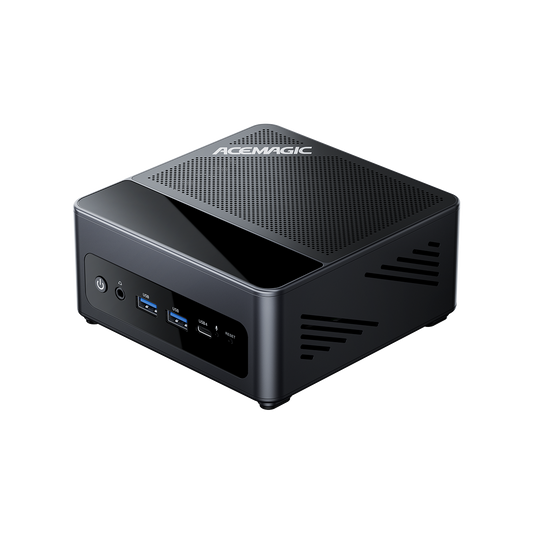
One option that meets these requirements is the ACEMAGIC K1 Mini PC with AMD Ryzen Embedded R2544, currently offered with 16GB of memory, a 512GB SSD and Windows 11 Pro.
At the time of publication, this configuration is listed at $353 CAD, placing it within the sub-$400 category.
Check the current price of the ACEMAGIC K1

Why Choose a Mini PC Instead of a Desktop Tower?
A mini PC performs the same fundamental role as a traditional desktop. You connect it to a monitor, keyboard and mouse, install your applications and use it as a regular Windows computer.
The most obvious difference is size.
The ACEMAGIC K1, for example, measures approximately 128.2 × 128.2 × 41 mm. It can sit beside a monitor without dominating the desk or be installed behind a compatible display using its included mounting bracket.
This makes a mini PC particularly useful in:
- Small home offices
- Condos and apartments
- Student bedrooms
- Shared workspaces
- Reception areas
- Meeting rooms
- Retail counters
- Family entertainment areas
Mini PCs also eliminate much of the empty internal space found in conventional desktop towers. For users who do not need a large graphics card or multiple internal expansion cards, a tower may offer little practical advantage.
1. Look for Enough CPU Performance for Daily Work
The processor determines how quickly a computer responds when opening applications, loading websites or working with several programs at once.
For everyday computing, four cores and eight processing threads provide a sensible starting point.
The AMD Ryzen Embedded R2544 inside the ACEMAGIC K1 offers:
- Four CPU cores
- Eight processing threads
- A 3.35GHz base frequency
- Boost speeds up to 3.7GHz
- Integrated Radeon Vega 8 graphics
This configuration is suited to routine workloads such as:
- Email and web browsing
- Word processing
- Spreadsheets and presentations
- Video conferencing
- Online learning
- Web-based business applications
- Streaming music and video
- Basic photo management
- Remote desktop access
The R2544 is an embedded processor designed around stable, sustained operation. It is a practical fit for an affordable office or household computer, although it is not intended to compete with high-end gaming and professional workstation systems.

2. Choose 16GB of RAM When Possible
Memory is one of the most important specifications in an affordable computer.
A system with insufficient RAM may slow down when you open multiple browser tabs, join a video meeting or switch between documents and communication apps. Although 8GB can handle very basic computing, 16GB provides substantially more breathing room for current Windows workloads.
The ACEMAGIC K1 includes 16GB of DDR4 memory, making it suitable for normal multitasking immediately after setup.
It also has two DDR4 SO-DIMM slots and supports up to 32GB. Instead of replacing the entire computer when your needs change, you can increase the memory later.
That upgrade path is useful for people who expect to run:
- Larger spreadsheets
- More simultaneous applications
- Multiple browser profiles
- Light virtual machines
- Business management software
- Larger photo libraries
For most everyday buyers, however, the included 16GB is a practical starting point.
3. Avoid Computers with Inadequate Storage
A solid-state drive helps Windows start quickly and makes applications feel more responsive. For a primary household or office computer, 512GB is generally more useful than a small 128GB or 256GB drive.
The K1 R2544 configuration includes a 512GB M.2 SATA SSD. This provides room for Windows, productivity applications, documents and a moderate collection of personal files.
More importantly, the computer contains two M.2 storage positions:
- One M.2 slot supporting SATA or PCIe storage
- One M.2 PCIe slot
- Up to 4TB of supported total storage
This makes it possible to add storage without immediately removing the original drive.
A second SSD could be used for work documents, family photos, media files or local backups. Buyers planning an upgrade should confirm the correct drive format and interface before ordering a new SSD.
4. Check How Many Displays the Mini PC Supports
A second monitor can make a meaningful difference when working from home. You might keep a spreadsheet on one screen and a browser on another, or leave a video meeting visible while taking notes.
The ACEMAGIC K1 provides three independent types of video connection:
- HDMI 2.0
- DisplayPort 1.4
- USB-C with DisplayPort video output

These outputs support resolutions up to 4K at 60Hz, giving the K1 the connectivity needed for a multi-display workspace.
Before building a three-monitor setup, check that each monitor has a compatible input and that the USB-C cable supports video. A basic charging-only USB-C cable will not necessarily carry a display signal.
For buyers searching specifically for an affordable mini PC for multiple monitors, this selection of outputs is one of the K1’s strongest features.
5. Count the USB Ports Before Buying
Port selection is easy to overlook until you start connecting accessories.
A typical home-office setup might include:
- A keyboard
- A mouse
- A webcam
- A printer
- An external drive
- A headset
- A USB microphone
Some compact computers only provide two or three full-size USB ports, forcing users to buy an additional hub.
The K1 includes six USB 3.2 Gen 1 Type-A ports and one USB 3.2 Gen 1 Type-C port. This is enough connectivity for many complete desk setups without an extra adapter.
It also provides:
- Gigabit Ethernet
- Wi-Fi 5
- Bluetooth 4.2
- A 3.5mm audio connection
Gigabit Ethernet is particularly useful for a fixed workstation where a stable wired connection is preferable for video meetings, large downloads or remote access.
Wi-Fi 5 and Bluetooth 4.2 are established rather than cutting-edge wireless standards. They remain adequate for common home-office connections, but buyers specifically seeking the latest wireless technology should account for this before purchasing.
6. Make Sure the Operating System Is Included
A low advertised computer price can become less attractive if you need to purchase and install an operating system separately.
The ACEMAGIC K1 comes with Windows 11 Pro, allowing it to run widely used productivity, communication and entertainment applications.
Windows 11 Pro also includes capabilities that may be useful to home-office and small-business users, such as:
- BitLocker device encryption
- Remote Desktop hosting
- Additional user and device-management features
- Support for joining compatible business networks
The computer is supplied with its power adapter and an HDMI cable, so buyers who already own a monitor, keyboard and mouse should have the main hardware needed to begin setup.
Who Is a Sub-$400 Mini PC Best For?
An affordable mini PC is a good choice when your priority is everyday productivity rather than maximum computing performance.
Home-office users
The combination of 16GB of memory, Windows 11 Pro and multiple display outputs is well suited to email, office applications, video calls and browser-based work.
Students
A mini PC can provide a permanent study station for research, writing, presentations, online classes and educational videos. Its compact dimensions are particularly helpful in a small bedroom or shared living space.
Families
The computer can serve as a shared system for browsing, online services, document creation, media playback and household administration.
Small businesses
A compact PC can work well at a reception desk, in a meeting room or as a dedicated computer for routine business applications.
Multi-monitor users
Three video-output options make it possible to build a productive workspace without purchasing a large desktop tower.
Secondary-computer buyers
The K1 can be used as a second workstation, workshop computer, media PC or dedicated remote-access terminal.
Is the ACEMAGIC K1 a Good Mini PC Under $400?
For everyday work, the R2544 version provides a useful combination of features for its price:
- Four CPU cores and eight threads
- Integrated Radeon Vega 8 graphics
- 16GB of included DDR4 memory
- A 512GB SSD
- Two M.2 storage positions
- Three 4K-capable display connections
- Six full-size USB ports
- Gigabit Ethernet
- Windows 11 Pro
- A compact aluminium-alloy enclosure
- An included monitor-mounting bracket
At its listed price of $353 CAD at the time of publication, it is positioned as an accessible compact desktop for buyers who value connectivity and upgrade potential.
View the ACEMAGIC K1 R2544 Mini PC
Frequently Asked Questions
Is 16GB of RAM enough for a home-office mini PC?
Yes. For web browsing, Office applications, email, video conferencing and everyday multitasking, 16GB is a practical amount of memory. The K1 can also be upgraded to 32GB if future workloads require more capacity.
Can the ACEMAGIC K1 connect to three monitors?
The K1 provides HDMI 2.0, DisplayPort 1.4 and video-capable USB-C outputs. These connections allow it to support a multi-monitor workspace with compatible displays and cables.
Does the K1 include Windows?
Yes. The R2544 configuration comes with Windows 11 Pro installed.
Can I upgrade the storage?
Yes. The system contains two M.2 storage positions and supports up to 4TB of total storage. Check interface compatibility before purchasing an additional drive.
Is the Ryzen Embedded R2544 good for everyday use?
Its four cores and eight processing threads are suitable for routine office work, browsing, video calls, streaming and other everyday applications. It is not designed for high-end gaming or demanding professional rendering.
Does a mini PC include a monitor?
No. A mini PC is the computer itself. You will normally need to supply a monitor, keyboard and mouse.
Is a mini PC suitable for working from home?
Yes, provided its performance and connections match your workload. A system with 16GB of RAM, an SSD and multiple display outputs can be particularly useful for a permanent home-office setup.
Final Verdict
The best mini PC under $400 is not necessarily the model with the longest specification sheet. It is the one that provides enough memory, storage and connectivity for the work you actually perform.
For buyers seeking an affordable Windows 11 Pro desktop for everyday use, the ACEMAGIC K1 R2544 covers the important fundamentals. Its 16GB of memory, upgradeable storage, extensive USB connectivity and support for multiple displays make it more flexible than its compact dimensions suggest.
It will not replace a high-end gaming or creative workstation. But for office applications, online learning, video meetings, streaming and general household computing, it offers a practical route to a cleaner and more affordable desktop setup.
Check the latest Canadian price and availability
Prices, discounts, stock levels, delivery estimates and return conditions may change. Confirm the current information on the product page before purchasing.