



Best Mini PCs for Valorant in 2026: Maximize FPS and Desk Space

You no longer need a massive, expensive desktop tower to hit Radiant rank. In 2026, Valorant remains one of the most ruthless tactical shooters in the esports scene, demanding high, stable frame rates and ultra-low latency. But as the hardware market has evolved, small form factor gaming has officially caught up.
Today, Mini PCs pack desktop-class processors and dedicated GPUs into chassis the size of a book. This means you can easily push 240+ FPS while keeping your esports gaming setup incredibly clean, freeing up maximum desk space for those wide, low-DPI mouse swipes.
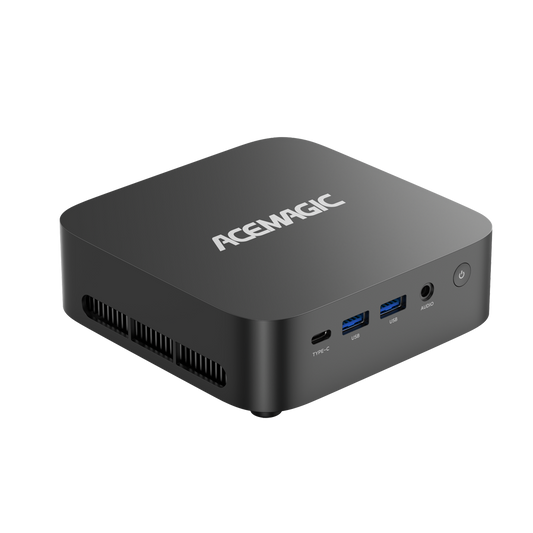
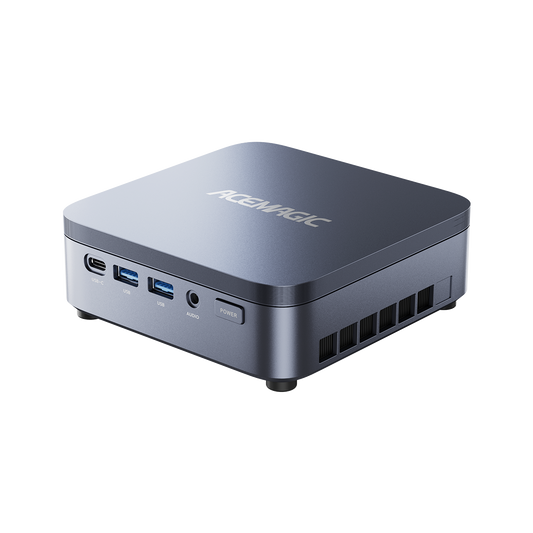
If you are looking to build the ultimate, space-saving Valorant station, we are breaking down everything you need to know, alongside two of the top contenders from ACEMAGIC.
TL;DR: Quick Comparison
Short on time? Here is a quick breakdown of our top two ACEMAGIC Mini PC recommendations for Valorant players.
| Feature | Best High-End: ACEMAGIC M1A PRO | Best Budget/Hybrid: ACEMAGIC Matrix M5 |
| Best For | Competitive Grinders (240Hz+ Monitors) | Casual Players, Coders, Creators |
| Processor (CPU) | Intel Core i9-13900HK (14 Cores) | Intel Core i9-14900HX (24 Cores) |
| Graphics (GPU) | Dedicated Intel ARC A770 | Integrated Intel UHD Graphics |
| RAM | 32GB DDR5 | 32GB DDR4 |
Official Valorant PC Requirements
Before buying any hardware, it is vital to understand what the game actually demands. Because Valorant was built to be highly accessible, its minimum requirements are very forgiving. However, to play competitively without input lag, you need to target the "High-End" tier.
| Spec Tier | Target FPS | CPU | GPU | RAM |
| Minimum | 30 FPS | Intel i3-540 / AMD Athlon 200GE | Intel HD 4000 / Radeon R5 200 | 4GB |
| Recommended | 60 FPS | Intel i3-4150 / AMD Ryzen 3 1200 | GeForce GT 730 / Radeon R7 240 | 4GB |
| High-End (Esports) | 144+ FPS | Intel i5-9400F / AMD Ryzen 5 2600X | GTX 1050 Ti / Radeon R7 370 | 4GB |
(Note for Windows 11 Users: Riot's Vanguard anti-cheat software strictly requires TPM 2.0 and UEFI Secure Boot to be enabled on your motherboard. Additionally, you will need at least 60GB of free storage space for the current version of the game).
What to Look for in a Mini PC for Valorant
When evaluating a small form factor gaming PC for this specific tactical shooter, keep these three factors in mind:
- CPU Over GPU: Valorant is notoriously CPU-bound. The game engine relies heavily on your processor's single-core performance. A powerful CPU is non-negotiable for high frame rates.
- Cooling Architecture: Mini PCs have less airflow than mid-towers. Look for models with active cooling (centrifugal fans and copper heat pipes) to prevent thermal throttling during long ranked sessions.
- Display Ports: To push 144Hz or 240Hz to an esports monitor, ensure the Mini PC features a DisplayPort (DP 1.4) or a high-bandwidth USB-C port, as older HDMI ports will cap your refresh rate.
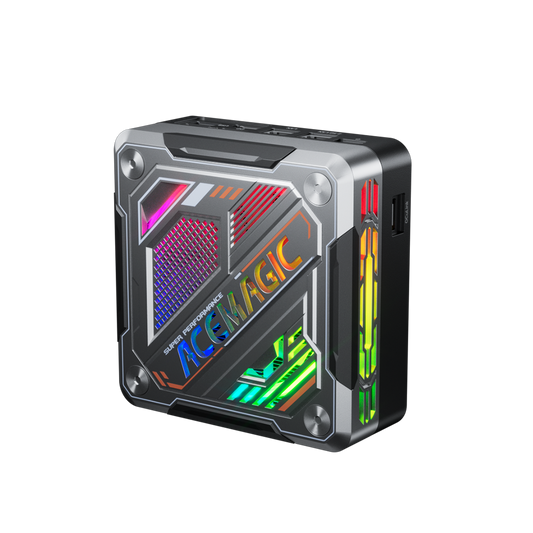
Best High-End Mini PC for Valorant: ACEMAGIC M1A PRO
If you are searching for a 240Hz gaming PC that handles Valorant with zero compromises, the ACEMAGIC M1A PRO is our top pick. Frame drops during chaotic executions—like when multiple Viper smokes and Brimstone ultimates deploy at once—can cost you the round. This machine prevents stuttering by pairing a massive processor with a dedicated graphics card.
- Processor: Intel® Core™ i9-13900HK (14 Cores, 20 Threads)
- Graphics: Nvidia GeForce RTX 5060 (Blackwell Architecture, DLSS 4.5)
- RAM: 32GB DDR5
The Expert Verdict: Leveraging the Blackwell architecture and DLSS 4.5, The RTX 5060 provides excellent frame rates for modern gaming and hardware acceleration for 3D rendering and 8K video editing. Furthermore, the i9-13900HK provides the massive single-core processing power required by the game's engine to process player inputs, utility, and particle effects without dropping frames.

- The Catch: While it is a beast for Valorant, the Intel ARC A770 is geared toward modern rendering. It performs incredibly well in optimized esports titles, but you may have to tweak settings slightly if you decide to pivot to extremely demanding, unoptimized AAA single-player games.
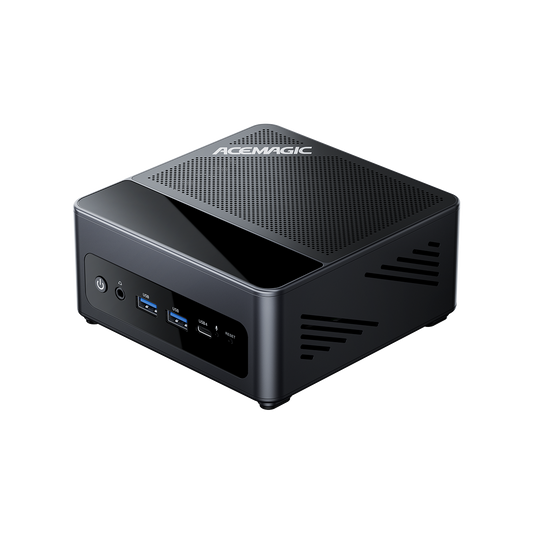
Best Budget Mini PC for Valorant: ACEMAGIC Matrix Mini M5
Not everyone needs a dedicated GPU, especially for a game as well-optimized as Valorant. If you need a workstation for rendering, coding, or schoolwork, but still want a highly capable budget Valorant PC, the Matrix Mini M5 is a masterclass in raw processing power.
- Processor: Intel® Core™ i9-14900HX (24 Cores, 32 Threads, up to 5.8 GHz)
- Graphics: Intel® UHD Graphics (Integrated)
- RAM: 32GB DDR4 (3200MHz Dual Channel)
The Expert Verdict: Because Valorant is heavily CPU-reliant, the M5 can muscle its way to highly playable frame rates purely on the back of its incredible 14th-Gen i9-14900HX processor. You can comfortably clear 60 to 100+ FPS on optimized 1080p competitive settings using the integrated UHD graphics. It is an unbeatable value for a hybrid productivity-gaming machine.

- The Catch: Be realistic about integrated graphics. This machine will not push a 240Hz esports monitor to its limit, and it will struggle if you try to live-stream your gameplay to Twitch at high resolutions while playing.
Why Choose a Small Form Factor Gaming PC?
If you are on the fence about downsizing your setup, the tactical advantages are hard to ignore:
- Maximum Mouse Space: Most pros play on very low sensitivities. A Mini PC can be mounted behind your monitor via VESA or tucked in a corner, giving you maximum desk real estate for giant mousepads and wide arm-aiming.
- LAN Tournament Ready: Weighing practically nothing, Mini PCs are incredibly easy to throw in a backpack if you travel for LAN parties or collegiate esports tournaments.
How to Install and Play Valorant on PC
Setting up Valorant on a new Windows 10 or 11 Mini PC is completely free.
- Create an Account: Head over to playvalorant.com to create a Riot Games account.
- Download the Client: Download the official installer.
- Install Vanguard: The installer will also download Riot Vanguard, the mandatory kernel-level anti-cheat software.
- Restart: You must restart your PC for Vanguard to initialize. After rebooting, launch the game and jump into the tutorial!
(Note: While Valorant is available on PS5 and Xbox Series X/S, crossplay is restricted. PC players cannot matchmake with console players to maintain competitive integrity).
FAQ
Q: Can my PC run Valorant?
A: Yes, almost certainly. Valorant is heavily optimized to run on older hardware. To hit the minimum 30 FPS, you only need integrated graphics (like an Intel HD 4000) and 4GB of RAM. However, for a competitive 60+ FPS experience in 2026, you will need a modern processor with good integrated graphics (like an Intel Core Ultra or AMD Ryzen APU) or a dedicated GPU equivalent to an NVIDIA GTX 1050 Ti or better, alongside Windows 10/11 with TPM 2.0 and Secure Boot enabled.
Q: How to play Valorant on a Chromebook?
A: You cannot play Valorant natively on ChromeOS. The game requires Riot Games' proprietary Vanguard anti-cheat software, which relies on kernel-level access strictly designed for Windows architecture. Furthermore, popular cloud gaming services like GeForce NOW generally do not support Valorant precisely because cloud server environments conflict with Vanguard’s strict security requirements. You need a Windows PC to play.
Q: How to get 1000 FPS in Valorant?
A: Hitting 1000 FPS in Valorant is a hardware benchmarking feat, not a practical competitive strategy. To achieve this, you need an extreme enthusiast-tier CPU (like the AMD Ryzen 7 7800X3D or 9800X3D) paired with a flagship GPU (like the RTX 4090), running the game at 1080p on the absolute lowest graphical settings.
Note: Because the fastest esports monitors in 2026 cap out around 500Hz to 540Hz, generating 1000 FPS results in severe diminishing returns. Your monitor physically cannot display those extra frames, though it can marginally reduce input latency.
Q: Is 16GB RAM good for 1080p gaming?
A: Yes. 16GB of RAM (particularly DDR4 or DDR5) is the ideal baseline for 1080p gaming in 2026. It provides more than enough memory allocation for Valorant (which requires very little RAM), your Windows operating system, and essential background applications like Discord or a web browser. You only need to upgrade to 32GB if you plan on actively streaming your gameplay or running heavy multi-tasking workloads on secondary monitors.